Tutorial: Elevation texturing
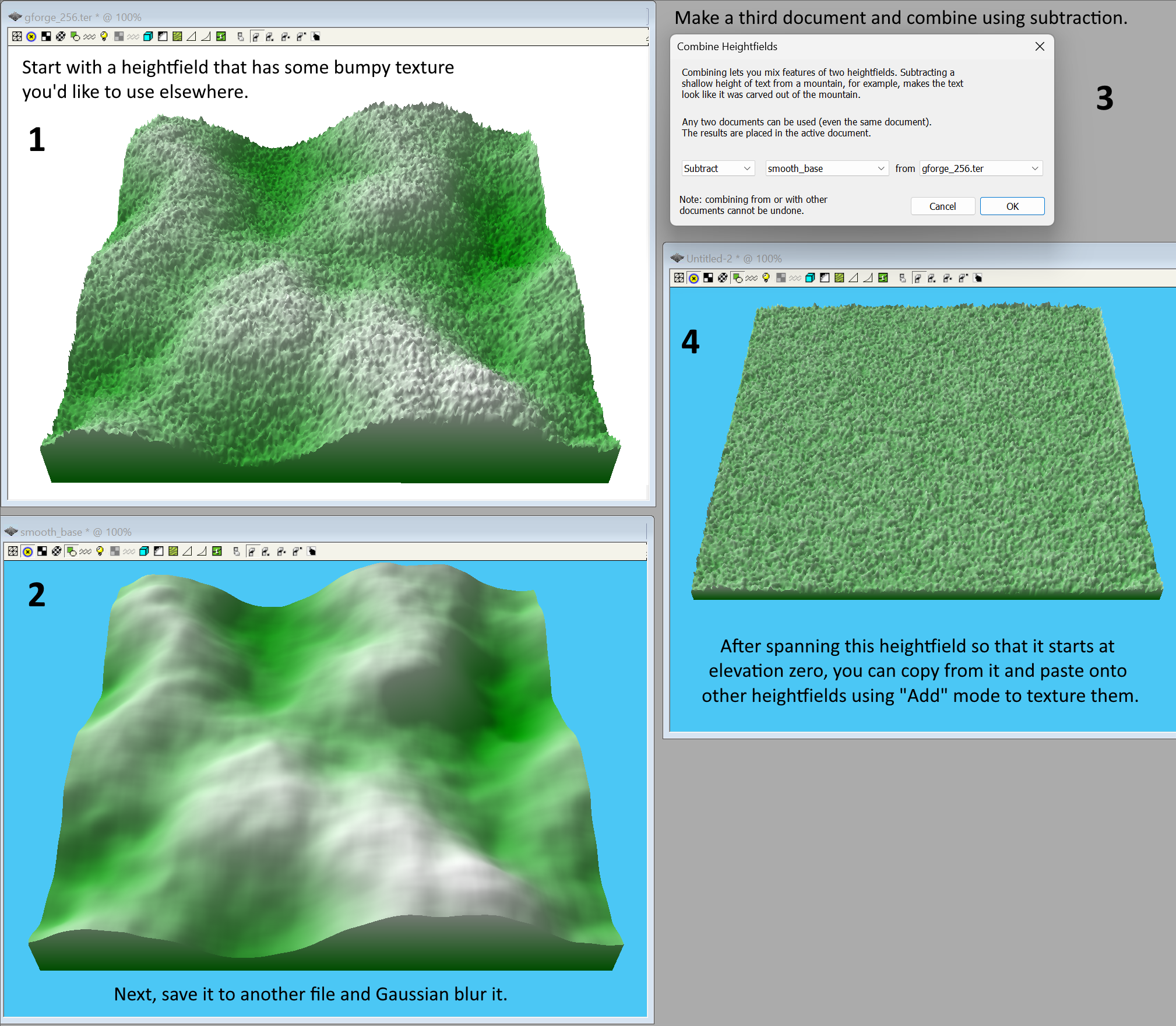
Sometimes you have a heightfield that has a bumpy "texture" you'd like to use on a different heightfield, but ordinary copying and pasting won't work because one winds up pasting the elevations as-is, causing undesired replacement of the target heightfield's shape. Using different merge modes don't help either.
What you really want is for the source heightfield to be flat with its bumps and wrinkles occupying the smallest possible span. Then you could copy and paste, and defloat with the Add style onto any other heightfield. To do this, follow the steps outlined below: